Stewardship
Shortcuts
Want to watch the tutorial videos on your computer at the same time?
Download your Shortcuts
But first…
Before you download your Shortcuts, let’s first double check that everything was set up properly during your Onboarding:
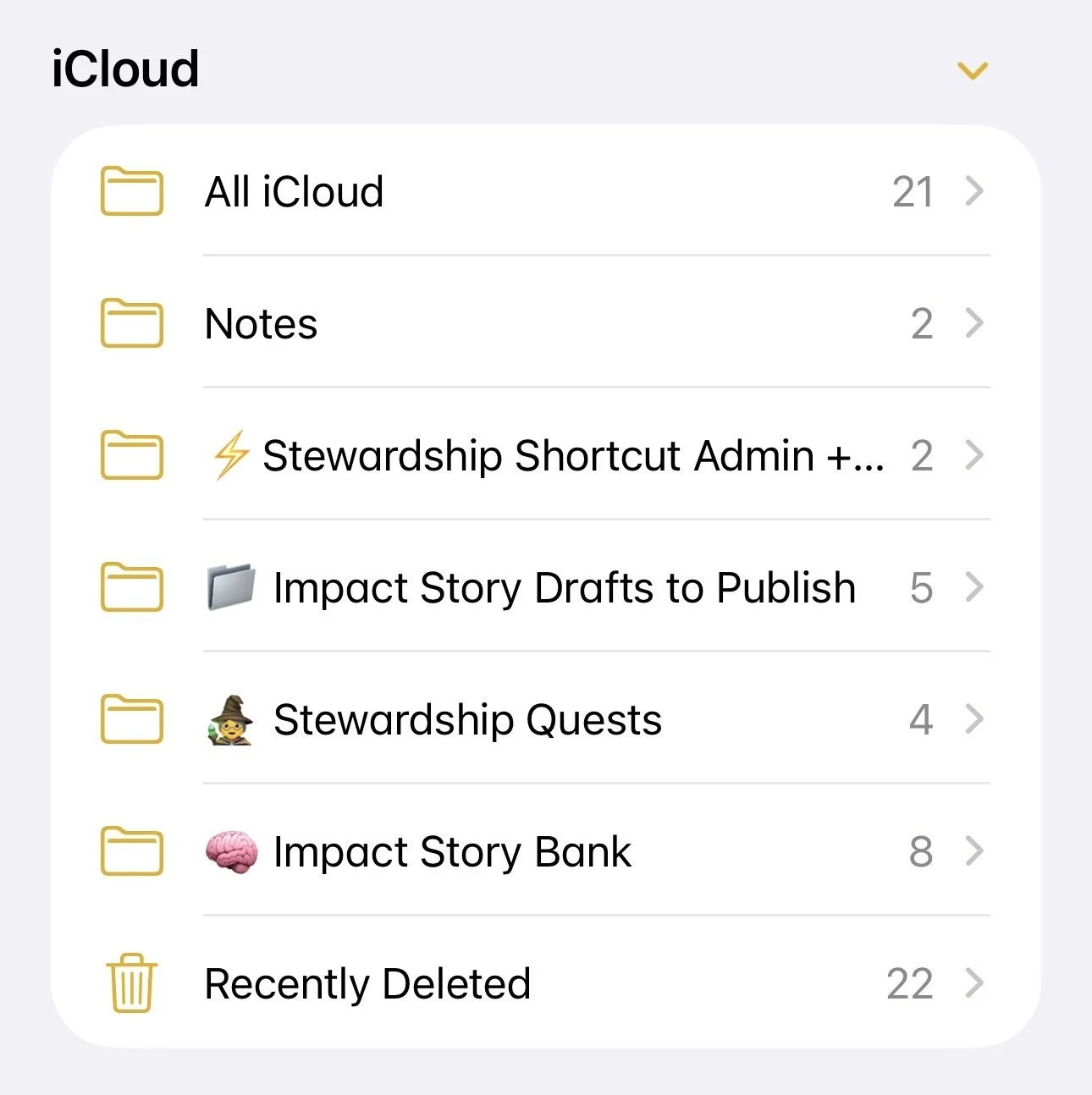
🔲 In your Notes app, check that you have 4 Folders:
🧙♀️ Stewardship Quests
🧠 Impact Story Bank
📁 Impact Story Drafts to Publish
⚡️Stewardship Shortcut Admin + Tutorials
🔲 Inside your ⚡️Stewardship Shortcut Admin + Tutorials folder, you should have 2 notes:
Your Org Voice Prompt
Stewardship Shortcuts Admin + Tutorials
Here an example of what your Notes app should look like with all the folders
Start here.
(Choose one.)
More Stewardship Shortcuts Links